
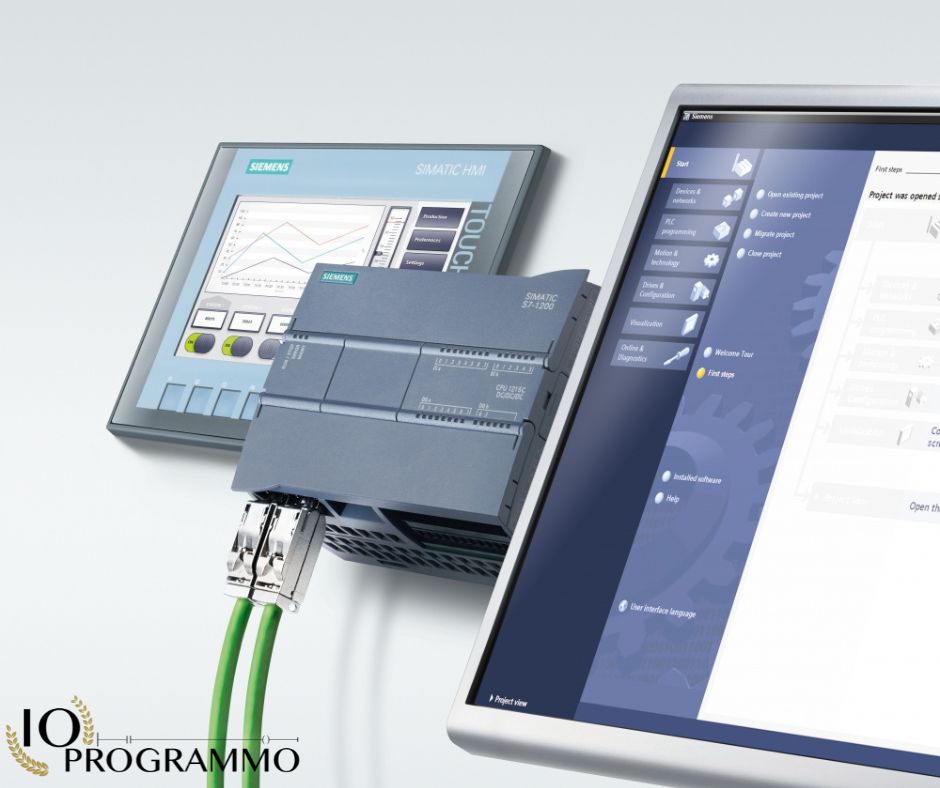
Setting the number of pulses in a PWM (Pulse Width Modulation) function is a common challenge for users working with Siemens S7-1200 PLCs. You aim to generate a specific number of pulses, such as 100, to achieve precise control over the output signal, crucial for applications like motor control or signal generation. However, configuring the PWM parameters to meet this requirement can be daunting. To address this, you need to correctly configure the pulse count, duty cycle, and frequency. Utilize the Siemens S7-1200 PLC programming software, referencing the PLC’s manual and programming guidelines to set these parameters accurately. Implementing a counter or timer function may also be necessary to monitor and control the pulse count effectively. This guide will walk you through the essential steps to ensure your PWM function generates the desired number of pulses with precision.
In particolar modo vedremo:
Quick Solution: Solve the Problem Quickly
Configure PWM Parameters for Precise Pulse Count
To configure PWM parameters for precise pulse count, it is essential to understand the relationship between the duty cycle, frequency, and the desired number of pulses. The duty cycle determines the proportion of the PWM cycle that is active, while the frequency dictates how often the PWM cycle repeats. By adjusting these parameters, you can achieve the desired pulse count.
Start by determining the total time required to generate the desired number of pulses. This can be calculated using the formula: Total Time (s) = Number of Pulses / Frequency (Hz). Once you have the total time, you can set the frequency of the PWM signal accordingly. Ensure that the frequency is high enough to generate the pulses within the required time frame.
Next, calculate the duty cycle needed to generate a single pulse. The duty cycle can be determined using the formula: Duty Cycle (%) = (Pulse Width / Period) 100. The pulse width is the duration of a single pulse, and the period is the total duration of one PWM cycle. Adjust the duty cycle to ensure that each pulse is generated accurately.
Setting Up Pulse Count in Siemens S7-1200 PLCs
In Siemens S7-1200 PLCs, setting up the pulse count involves using the appropriate blocks and instructions provided in the PLC programming software. Begin by opening the PLC programming software and creating a new project. Ensure that you have the necessary tools and prerequisites, such as the PLC programming software, a compatible PLC, and the relevant documentation.
To set up the pulse count, follow these steps
- Create a new timer block and set the preset value to the total time required to generate the desired number of pulses. This will ensure that the timer runs for the correct duration.
- Create a new PWM block and configure the frequency and duty cycle as calculated in the previous section. Ensure that the PWM block is connected to the output signal that needs to be controlled.
- Implement a counter function to monitor the pulse count. This can be done using a counter block that increments with each pulse generated by the PWM block.
- Verify the pulse count by comparing the output of the counter function to the desired number of pulses. Adjust the PWM parameters as needed to achieve the precise pulse count.
Verifying Accurate Pulse Generation in Automation
Verifying accurate pulse generation is crucial to ensure that the PWM function is working as intended. To verify the pulse count, you can use an oscilloscope or a pulse counter device. Connect the output signal of the PWM block to the verification device and monitor the pulse count during operation.
Ensure that the pulse count matches the desired number of pulses. If the pulse count is not accurate, revisit the PWM parameters and adjust them accordingly. It may be necessary to fine-tune the duty cycle and frequency to achieve the precise pulse count.
Additionally, implement a feedback loop to continuously monitor and adjust the pulse count. This can be done by comparing the output of the counter function to the desired number of pulses and making real-time adjustments to the PWM parameters as needed.
Understanding PWM Parameters for Precise Pulse Generation
Configuring PWM Parameters for Accurate Pulse Generation
To configure PWM parameters for accurate pulse generation, it is essential to understand the interplay between the duty cycle, frequency, and the desired number of pulses. The duty cycle, expressed as a percentage, determines the proportion of the PWM cycle that is active, while the frequency dictates the number of cycles per second. By meticulously adjusting these parameters, you can achieve precise pulse generation.
Start by calculating the total time required to generate the desired number of pulses using the formula: Total Time (s) = Number of Pulses / Frequency (Hz). This calculation ensures that the PWM signal is configured to run for the correct duration. For instance, if you need to generate 100 pulses at a frequency of 10 Hz, the total time required is 10 seconds.
Next, determine the duty cycle needed to generate a single pulse. This can be calculated using the formula: Duty Cycle (%) = (Pulse Width / Period) x 100. The pulse width is the duration of a single pulse, and the period is the total duration of one PWM cycle. For example, if you want a pulse width of 0.5 seconds in a 1-second period, the duty cycle is 50%.
Setting Pulse Count in Siemens S7-1200 PLCs
In Siemens S7-1200 PLCs, setting the pulse count involves using the appropriate blocks and instructions provided in the PLC programming software. Begin by opening the PLC programming software and creating a new project. Ensure that you have the necessary tools and prerequisites, such as the PLC programming software, a compatible PLC, and the relevant documentation.
To set the pulse count, follow these steps
- Create a new timer block and set the preset value to the total time required to generate the desired number of pulses. This ensures that the timer runs for the correct duration.
- Create a new PWM block and configure the frequency and duty cycle as calculated in the previous section. Ensure that the PWM block is connected to the output signal that needs to be controlled.
- Implement a counter function to monitor the pulse count. This can be done using a counter block that increments with each pulse generated by the PWM block.
- Verify the pulse count by comparing the output of the counter function to the desired number of pulses. Adjust the PWM parameters as needed to achieve the precise pulse count.
Implementing Counters for Precise Pulse Monitoring
Implementing a counter function is crucial for precise pulse monitoring. In Siemens S7-1200 PLCs, you can use a counter block that increments with each pulse generated by the PWM block. This counter provides real-time feedback on the pulse count, allowing you to monitor and control the pulse generation process accurately.
To implement the counter function, follow these steps
- Create a new counter block in the PLC programming software.
- Configure the counter block to increment with each pulse generated by the PWM block. This can be done by setting the counter input to the pulse output of the PWM block.
- Monitor the counter output to verify the pulse count. Compare the counter output to the desired number of pulses and adjust the PWM parameters as needed to achieve the precise pulse count.
By following these steps, you can ensure that the PWM function generates the desired number of pulses accurately, providing precise control over the output signal for applications such as motor control, signal generation, and other tasks requiring specific pulse counts.
Configuring PWM Blocks in Siemens S7-1200 Programming
Understanding PWM Pulse Configuration in Siemens S7-1200
In the realm of industrial automation, precise control over output signals is paramount. The Siemens S7-1200 Programmable Logic Controller (PLC) offers robust capabilities for Pulse Width Modulation (PWM) functions, enabling users to generate specific pulse counts for various applications. Understanding the configuration of PWM pulses in the Siemens S7-1200 is crucial for achieving accurate control.
PWM is a technique used to control the average power delivered to a load by varying the duty cycle of a square wave signal. In the context of Siemens S7-1200, configuring PWM pulses involves setting the pulse count, duty cycle, and frequency. These parameters must be meticulously adjusted to ensure the desired number of pulses is generated, aligning with industry standards such as IEC 61131-3 and ISO 14644.
The Siemens S7-1200 PLC programming software provides the necessary tools to configure PWM parameters. The user must understand the interplay between the duty cycle, frequency, and pulse count to achieve precise control. The duty cycle, expressed as a percentage, determines the proportion of the PWM cycle that is active, while the frequency dictates the number of cycles per second. By calculating the total time required to generate the desired number of pulses using the formula Total Time (s) = Number of Pulses / Frequency (Hz), the user can set the frequency accordingly.
Setting Accurate Pulse Counts with Siemens S7-1200 PWM
To set accurate pulse counts with the Siemens S7-1200 PWM function, the user must follow a systematic approach. Begin by creating a new timer block and setting the preset value to the total time required to generate the desired number of pulses. This ensures that the timer runs for the correct duration, as per the formula mentioned earlier.
Next, create a new PWM block and configure the frequency and duty cycle based on the calculated parameters. Ensure that the PWM block is connected to the output signal that needs to be controlled. Implementing a counter function is essential to monitor the pulse count accurately. This can be done using a counter block that increments with each pulse generated by the PWM block.
Verify the pulse count by comparing the output of the counter function to the desired number of pulses. If the pulse count is not accurate, revisit the PWM parameters and adjust them accordingly. It may be necessary to fine-tune the duty cycle and frequency to achieve the precise pulse count. Additionally, implement a feedback loop to continuously monitor and adjust the pulse count, ensuring real-time control over the output signal.
Implementing PWM Parameters for Precise Pulse Generation
Implementing PWM parameters for precise pulse generation in Siemens S7-1200 involves a detailed understanding of the PLC programming software and the PWM function’s capabilities. The user should refer to the PLC’s manual and programming guidelines to understand how to set the PWM parameters and ensure the desired number of pulses is generated.
Start by creating a new PWM block and configuring the frequency and duty cycle as calculated in the previous section. Ensure that the PWM block is connected to the output signal that needs to be controlled. Implement a counter function to monitor the pulse count accurately. This can be done using a counter block that increments with each pulse generated by the PWM block.
Monitor the counter output to verify the pulse count. Compare the counter output to the desired number of pulses and adjust the PWM parameters as needed to achieve the precise pulse count. By following these steps, you can ensure that the PWM function generates the desired number of pulses accurately, providing precise control over the output signal for applications such as motor control, signal generation, and other tasks requiring specific pulse counts.
Implementing Counters for Accurate Pulse Count Monitoring
Configuring PWM Parameters for Precise Pulse Counts
In industrial automation, precise control over output signals is crucial. Configuring Pulse Width Modulation (PWM) parameters for accurate pulse counts is essential for achieving this control. The PWM function allows you to generate specific pulse counts by adjusting the duty cycle, frequency, and pulse count. According to IEC 61131-3 and ISO 14644 standards, these parameters must be meticulously set to ensure the desired output.
Start by calculating the total time required to generate the desired number of pulses using the formula: Total Time (s) = Number of Pulses / Frequency (Hz). This ensures that the PWM signal is configured to run for the correct duration. For example, if you need to generate 100 pulses at a frequency of 10 Hz, the total time required is 10 seconds.
Next, determine the duty cycle needed to generate a single pulse. This can be calculated using the formula: Duty Cycle (%) = (Pulse Width / Period) x 100. The pulse width is the duration of a single pulse, and the period is the total duration of one PWM cycle. For instance, if you want a pulse width of 0.5 seconds in a 1-second period, the duty cycle is 50%.
Setting Up Pulse Count in Siemens S7-1200 PLCs
In Siemens S7-1200 PLCs, setting up the pulse count involves using the appropriate blocks and instructions provided in the PLC programming software. Begin by opening the PLC programming software and creating a new project. Ensure that you have the necessary tools and prerequisites, such as the PLC programming software, a compatible PLC, and the relevant documentation.
To set up the pulse count, follow these steps
- Create a new timer block and set the preset value to the total time required to generate the desired number of pulses. This ensures that the timer runs for the correct duration.
- Create a new PWM block and configure the frequency and duty cycle as calculated in the previous section. Ensure that the PWM block is connected to the output signal that needs to be controlled.
- Implement a counter function to monitor the pulse count. This can be done using a counter block that increments with each pulse generated by the PWM block.
- Verify the pulse count by comparing the output of the counter function to the desired number of pulses. Adjust the PWM parameters as needed to achieve the precise pulse count.
Implementing Counters for Accurate Pulse Monitoring
Implementing a counter function is crucial for precise pulse monitoring. In Siemens S7-1200 PLCs, you can use a counter block that increments with each pulse generated by the PWM block. This counter provides real-time feedback on the pulse count, allowing you to monitor and control the pulse generation process accurately.
To implement the counter function, follow these steps
- Create a new counter block in the PLC programming software.
- Configure the counter block to increment with each pulse generated by the PWM block. This can be done by setting the counter input to the pulse output of the PWM block.
- Monitor the counter output to verify the pulse count. Compare the counter output to the desired number of pulses and adjust the PWM parameters as needed to achieve the precise pulse count.
By following these steps, you can ensure that the PWM function generates the desired number of pulses accurately, providing precise control over the output signal for applications such as motor control, signal generation, and other tasks requiring specific pulse counts.
Comparative Analysis: PWM vs. Alternative Pulse Methods
Understanding PWM Pulse Count Configuration in Siemens S7-1200
In the Siemens S7-1200 PLC, configuring PWM (Pulse Width Modulation) for precise pulse count involves setting the pulse count, duty cycle, and frequency. The duty cycle determines the proportion of the PWM cycle that is active, while the frequency dictates the number of cycles per second. To achieve accurate pulse generation, you must calculate the total time required using the formula: Total Time (s) = Number of Pulses / Frequency (Hz). This ensures the PWM signal runs for the correct duration.
For instance, to generate 100 pulses at 10 Hz, the total time required is 10 seconds. The duty cycle can be calculated using the formula: Duty Cycle (%) = (Pulse Width / Period) x 100. If you want a pulse width of 0.5 seconds in a 1-second period, the duty cycle is 50%. Properly configuring these parameters ensures precise pulse generation.
Setting Precise Pulse Counts in PWM for Siemens S7-1200 PLCs
To set precise pulse counts in PWM for Siemens S7-1200 PLCs, follow these steps: create a new timer block and set the preset value to the total time required. Create a new PWM block and configure the frequency and duty cycle. Implement a counter function to monitor the pulse count. Verify the pulse count by comparing the counter output to the desired number of pulses. Adjust the PWM parameters as needed to achieve precise control.
In Siemens S7-1200, use the PLC programming software to set up the pulse count. Open the software, create a new project, and ensure you have the necessary tools and documentation. Create a timer block, set the preset value, create a PWM block, configure the frequency and duty cycle, and implement a counter function. Monitor the counter output and adjust the PWM parameters to achieve the desired pulse count.
Pros and Cons of Using PWM for Specific Pulse Count Applications
Using PWM for specific pulse count applications has several advantages and disadvantages. The primary pros include precise control over the output signal, which is essential for applications such as motor control and signal generation. PWM allows for fine-tuning of the duty cycle and frequency, ensuring accurate pulse generation. Additionally, PWM is widely supported in industrial automation systems, including Siemens S7-1200 PLCs.
However, there are also cons to consider. PWM can be complex to configure, requiring a detailed understanding of the duty cycle, frequency, and pulse count. Incorrect configuration can lead to inaccurate pulse generation, affecting the performance of the application. Additionally, PWM may not be suitable for all applications, particularly those requiring very high-frequency pulses or very precise timing.
When using PWM for specific pulse count applications, ensure you have the necessary tools and documentation. Refer to the PLC’s manual and programming guidelines to understand how to set the PWM parameters and achieve the desired pulse count.
| Solution | Technical Specifications | Pros | Cons |
|---|---|---|---|
| PWM | Duty Cycle, Frequency, Pulse Count | Precise control, Fine-tuning, Wide support | Complex configuration, Potential for inaccuracies, Not suitable for all applications |
| Alternative Pulse Methods | Variable Frequency Drives, Digital I/O | Simpler configuration, Suitable for high-frequency pulses | Less precise control, Limited fine-tuning |
| Hybrid Approach | Combination of PWM and Alternative Methods | Balanced precision and simplicity | Requires careful integration, Potential for increased complexity |
Best Practices for Optimizing PWM Pulse Generation in PLCs
Configuring PWM Parameters for Precise Pulse Generation
To configure PWM parameters for precise pulse generation, it is crucial to understand the relationship between the duty cycle, frequency, and the desired number of pulses. The duty cycle, expressed as a percentage, determines the proportion of the PWM cycle that is active, while the frequency dictates the number of cycles per second. By meticulously adjusting these parameters, you can achieve accurate pulse generation.
Start by calculating the total time required to generate the desired number of pulses using the formula: Total Time (s) = Number of Pulses / Frequency (Hz). This calculation ensures that the PWM signal is configured to run for the correct duration. For instance, if you need to generate 100 pulses at a frequency of 10 Hz, the total time required is 10 seconds.
Next, determine the duty cycle needed to generate a single pulse. This can be calculated using the formula: Duty Cycle (%) = (Pulse Width / Period) x 100. The pulse width is the duration of a single pulse, and the period is the total duration of one PWM cycle. For example, if you want a pulse width of 0.5 seconds in a 1-second period, the duty cycle is 50%. Properly configuring these parameters ensures precise pulse generation.
Setting Up Pulse Count in Siemens S7-1200 PLCs
In Siemens S7-1200 PLCs, setting up the pulse count involves using the appropriate blocks and instructions provided in the PLC programming software. Begin by opening the PLC programming software and creating a new project. Ensure that you have the necessary tools and prerequisites, such as the PLC programming software, a compatible PLC, and the relevant documentation.
To set up the pulse count, follow these steps
- Create a new timer block and set the preset value to the total time required to generate the desired number of pulses. This ensures that the timer runs for the correct duration.
- Create a new PWM block and configure the frequency and duty cycle as calculated in the previous section. Ensure that the PWM block is connected to the output signal that needs to be controlled.
- Implement a counter function to monitor the pulse count. This can be done using a counter block that increments with each pulse generated by the PWM block.
- Verify the pulse count by comparing the output of the counter function to the desired number of pulses. Adjust the PWM parameters as needed to achieve the precise pulse count.
Implementing Counters for Accurate Pulse Monitoring
Implementing a counter function is crucial for precise pulse monitoring. In Siemens S7-1200 PLCs, you can use a counter block that increments with each pulse generated by the PWM block. This counter provides real-time feedback on the pulse count, allowing you to monitor and control the pulse generation process accurately.
To implement the counter function, follow these steps
- Create a new counter block in the PLC programming software.
- Configure the counter block to increment with each pulse generated by the PWM block. This can be done by setting the counter input to the pulse output of the PWM block.
- Monitor the counter output to verify the pulse count. Compare the counter output to the desired number of pulses and adjust the PWM parameters as needed to achieve the precise pulse count.
By following these steps, you can ensure that the PWM function generates the desired number of pulses accurately, providing precise control over the output signal for applications such as motor control, signal generation, and other tasks requiring specific pulse counts. Always refer to the PLC’s manual and programming guidelines to understand how to set the PWM parameters and achieve the desired pulse count.
Frequently Asked Questions (FAQ)
Question
How do I set the number of pulses in a PWM function on a Siemens S7-1200 PLC?
To set the number of pulses in a PWM function on a Siemens S7-1200 PLC, you need to configure the PWM parameters correctly. This involves setting the pulse count, duty cycle, and frequency. Refer to the PLC’s manual and programming guidelines to understand how to set the PWM parameters and ensure the desired number of pulses is generated. Additionally, you might need to implement a counter or timer function to monitor and control the pulse count accurately.
Question
What steps should I follow to configure the PWM parameters in the Siemens S7-1200 PLC programming software?
To configure the PWM parameters in the Siemens S7-1200 PLC programming software, follow these steps: 1) Open the PLC programming software. 2) Locate the PWM function block. 3) Set the desired pulse count, duty cycle, and frequency. 4) Save the configuration and upload it to the PLC. Ensure you consult the PLC’s manual for specific instructions and parameter settings.
Question
Can I use a counter or timer function to monitor the pulse count in a PWM function on a Siemens S7-1200 PLC?
Yes, you can use a counter or timer function to monitor the pulse count in a PWM function on a Siemens S7-1200 PLC. Implementing a counter or timer function allows you to accurately track the number of pulses generated and control the pulse count to meet your specific requirements. This is particularly useful for applications that require precise pulse counting, such as motor control or signal generation.
Question
What are the key considerations when setting the duty cycle for a PWM function on a Siemens S7-1200 PLC?
When setting the duty cycle for a PWM function on a Siemens S7-1200 PLC, consider the following key factors: 1) The duty cycle should be set to achieve the desired output signal level. 2) Ensure the duty cycle is within the allowable range specified by the PLC. 3) Adjust the duty cycle based on the specific application requirements, such as motor speed control or signal modulation. Proper configuration of the duty cycle is essential for accurate pulse generation and control.
Question
How can I troubleshoot issues with pulse count accuracy in a PWM function on a Siemens S7-1200 PLC?
To troubleshoot issues with pulse count accuracy in a PWM function on a Siemens S7-1200 PLC, follow these steps: 1) Verify the PWM parameters, including pulse count, duty cycle, and frequency. 2) Check the counter or timer function for any errors or discrepancies. 3) Ensure the PLC programming software is correctly configured and up-to-date. 4) Consult the PLC’s manual and programming guidelines for troubleshooting tips and solutions. If the issue persists, consider seeking assistance from a Siemens support specialist.
Question
Are there any specific programming guidelines for setting up a PWM function on a Siemens S7-1200 PLC?
Yes, there are specific programming guidelines for setting up a PWM function on a Siemens S7-1200 PLC. These guidelines include: 1) Familiarize yourself with the PLC programming software and its features. 2) Refer to the PLC’s manual for detailed instructions on configuring PWM parameters. 3) Use the appropriate blocks and instructions provided in the programming software. 4) Implement a counter or timer function to monitor and control the pulse count accurately. Following these guidelines will help you set up the PWM function effectively and achieve precise control over the output signal.
Common Troubleshooting
Issue: Incorrect Pulse Count
Symptoms: The generated pulse count does not match the desired number of pulses (e.g., generating 80 pulses instead of 100).
Solution: Verify the PWM parameters, including the pulse count, duty cycle, and frequency settings. Ensure that the counter or timer function used to monitor the pulse count is correctly configured. Double-check the PLC programming for any logical errors or misconfigurations. Refer to the Siemens S7-1200 PLC manual for detailed instructions on setting up the PWM function.
Issue: Unstable Pulse Generation
Symptoms: The PWM output produces pulses inconsistently, with varying pulse widths or intervals.
Solution: Check the power supply and ensure it is stable. Inspect the PWM module for any signs of damage or malfunction. Verify that the PWM parameters are correctly set and that there are no conflicts with other PLC functions. Ensure that the PWM block in the PLC program is correctly implemented and that there are no race conditions or timing issues. Consult the PLC manual for troubleshooting tips on PWM stability.
Issue: PWM Function Not Activating
Symptoms: The PWM function does not start generating pulses when expected, despite correct configuration.
Solution: Ensure that the PWM enable bit is set correctly in the PLC program. Verify that any required initialization steps or conditions for activating the PWM function are met. Check for any software or hardware resets that might be affecting the PWM operation. Review the PLC programming to ensure there are no logical errors preventing the PWM function from activating. Refer to the PLC manual for activation procedures and troubleshooting steps.
Issue: Overlapping Pulses
Symptoms: Pulses generated by the PWM function overlap, resulting in incorrect pulse count or signal distortion.
Solution: Review the PWM frequency settings and adjust them to ensure pulses do not overlap. Check the timing and duration of the PWM cycles to prevent overlap. Ensure that the counter or timer function used to monitor the pulse count is correctly synchronized with the PWM output. Verify that there are no timing conflicts or race conditions in the PLC program. Refer to the PLC manual for guidelines on setting the correct PWM frequency and cycle timing.
Issue: PWM Output Not Reaching Desired Voltage
Symptoms: The output voltage of the PWM signal is lower than expected, despite correct PWM configuration.
Solution: Check the power supply voltage and ensure it is within the specified range for the PWM module. Verify the PWM duty cycle settings and adjust them to achieve the desired output voltage. Ensure that the PWM output is correctly connected to the load and that there are no voltage drops due to wiring or connection issues. Inspect the PWM module for any signs of damage or malfunction. Refer to the PLC manual for troubleshooting tips on PWM output voltage.
Conclusions
In optimizing PWM pulse generation in PLCs, setting the number of pulses is crucial for precise control in applications like motor control and signal generation. You can achieve this by configuring the PWM parameters correctly, including the pulse count, duty cycle, and frequency. For Siemens S7-1200 PLCs, utilizing the appropriate blocks and instructions in the PLC programming software is essential. Refer to the PLC’s manual and programming guidelines for detailed instructions. Implementing a counter or timer function can further enhance accuracy in pulse count monitoring. By mastering these techniques, you can ensure your PLC operates efficiently and meets specific control requirements. Want to deepen your PLC programming skills? Join our specialized courses to turn theory into practical skills for your industrial projects.

“Semplifica, automatizza, sorridi: il mantra del programmatore zen.”
Dott. Strongoli Alessandro
Programmatore
CEO IO PROGRAMMO srl





