
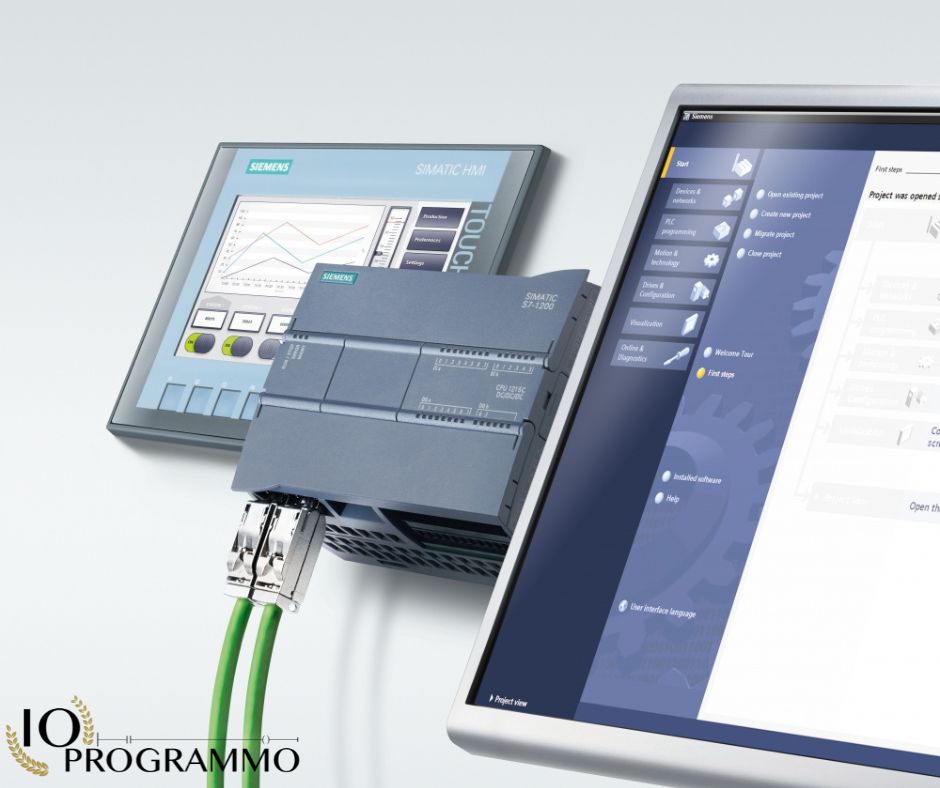
Imagine you’re working on integrating a Siemens CPU with Schneider Electric’s soft starter ATS48 and inverter ALTIVAR61, aiming for seamless Profibus DP communication. You encounter hurdles due to protocol mismatches and the need for a LUFP7 gateway. The Schneider Electric LUFP7 gateway is essential, but you’re uncertain about the specific hardware and software requirements. You want to ensure reliable data exchange and control across devices. Based on our analysis, the ABC-CONF software in the Power Suite package is crucial for configuration. While a generic RS485 cable might seem sufficient, the Power Suite cable doubles as an RS232-RS485 converter, eliminating the need for a separate one. However, using the recommended XGSZ24 converter by Schneider Electric guarantees compatibility and reliability. Sharing configuration files among peers can further streamline the process.
In particolar modo vedremo:
Quick Solution: Solve the Problem Quickly
Prerequisites for Profibus DP Setup with Schneider LUFP7
Before diving into the configuration, ensure you have the necessary components and tools. These include a Schneider Electric LUFP7 Gateway, a Siemens CPU, Schneider Electric soft starter ATS48, and inverter ALTIVAR61. Additionally, the ABC-CONF software, part of the Power Suite package for the inverter, is crucial for configuration. The recommended converter, XGSZ24, and the Power Suite cable, which doubles as an RS232-RS485 converter, are essential. Verify that your devices support Profibus DP and Modbus communication protocols.
Procedure: Configuring Gateway for Seamless Communication
To configure the LUFP7 Gateway for seamless communication, follow these steps:
- Connect the Siemens CPU to the LUFP7 Gateway via the Profibus DP network. Ensure the correct termination resistors are installed at both ends of the network to prevent signal reflections.
- Use the recommended XGSZ24 converter to bridge the communication between the LUFP7 Gateway and the Schneider Electric devices. Connect the converter to the appropriate ports on the gateway and devices.
- Install the ABC-CONF software on your computer and connect it to the LUFP7 Gateway via the Power Suite cable. Open the software and configure the gateway settings, including the communication parameters and device addresses.
- Within ABC-CONF, add the Schneider Electric soft starter and inverter as Modbus devices. Configure their addresses and communication settings to match the network configuration.
- Test the communication between the Siemens CPU and Schneider devices by sending test commands and verifying the responses. Adjust settings as necessary to ensure reliable data exchange.
Verification: Ensuring Reliable Data Exchange and Control
After configuring the gateway, it is crucial to verify that the communication is reliable and data exchange is seamless. Use the following methods to ensure proper operation:
- Monitor the communication status in the ABC-CONF software. Look for any error messages or failed communication attempts.
- Send test commands to the Schneider Electric devices and verify the responses from the Siemens CPU. Ensure that the commands are executed correctly and the data is accurate.
- Use diagnostic tools provided by Schneider Electric and Siemens to troubleshoot any issues that arise during the communication process.
- Document the configuration settings and test results for future reference and troubleshooting.
By following these steps and verification methods, you can ensure that the communication between the Siemens CPU, Schneider Electric soft starter, and inverter through the LUFP7 Gateway is reliable and efficient.
Selecting the Correct Converter: LUFP7 and XGSZ24
Understanding Profibus DP and Modbus Protocols
In industrial automation, selecting the right communication protocol and hardware is crucial for seamless integration of devices. Profibus DP (Distributed Process Bus) and Modbus are two widely used protocols in industrial settings. Profibus DP, specified by IEC 61158, is a fieldbus standard for connecting sensors and actuators to a control system. It is known for its high-speed data transfer and reliability. Modbus, on the other hand, is a communication protocol developed by Modicon, now Schneider Electric, and is commonly used for connecting industrial electronic devices. It operates over various physical layers, including RS-232, RS-485, and Ethernet.
Choosing the Right Converter: LUFP7 vs. XGSZ24
When integrating devices using different communication protocols, a gateway like the Schneider Electric LUFP7 becomes essential. The LUFP7 Gateway is designed to facilitate communication between devices using different protocols, such as Profibus DP and Modbus. To ensure compatibility and reliability, it is recommended to use the XGSZ24 converter, which is specifically designed for this purpose. This converter ensures that the communication between the Siemens CPU and Schneider Electric devices is seamless. While a generic RS485 cable might seem like a suitable alternative, it does not offer the necessary conversion between RS232 and RS485. Therefore, using the recommended XGSZ24 converter is advised to avoid any communication issues.
Configuring with ABC-CONF for Seamless Communication
Configuring the LUFP7 Gateway for seamless communication involves using the ABC-CONF software, which is part of the Power Suite package for the inverter. This software is essential for configuring the gateway settings, including communication parameters and device addresses. It is important to follow the specific configuration steps provided by Schneider Electric to ensure that the gateway is correctly set up. For instance, setting the communication parameters such as baud rate, parity, and stop bits correctly is crucial for reliable data exchange. Additionally, configuring the device addresses correctly ensures that the data is sent to and received from the correct devices.
Note: Always refer to the latest version of the ABC-CONF software and the Power Suite package for the most up-to-date configuration guidelines and compatibility information.
By understanding the protocols, choosing the correct converter, and configuring the gateway correctly, you can ensure that the communication between the Siemens CPU, Schneider Electric soft starter, and inverter is seamless and efficient. This setup will enable reliable data exchange and control among the devices, leading to improved system performance and easier troubleshooting.
ABC-CONF Software Configuration for LUFP7 Gateway
Understanding Profibus DP and Modbus Protocol Standards
In the realm of industrial automation, it is imperative to understand the fundamental protocols governing the communication between different devices. The Profibus DP (Distributed Process Bus) is defined by the IEC 61158 standard, providing a robust framework for connecting sensors and actuators to a control system. This protocol is renowned for its high-speed data transfer and reliability. Conversely, the Modbus protocol, developed by Modicon and now maintained by Schneider Electric, is widely adopted for its simplicity and versatility, operating over various physical layers such as RS-232, RS-485, and Ethernet. Understanding these standards is crucial for ensuring seamless integration and communication between devices.
Setting Up Hardware and Software Parameters for Integration
To establish a reliable communication network, it is essential to set up the hardware parameters correctly. Begin with connecting the Siemens CPU to the Schneider Electric LUFP7 Gateway via the Profibus DP network. Ensure the network is properly terminated with resistors at both ends to prevent signal reflections. Next, integrate the Schneider Electric soft starter ATS48 and inverter ALTIVAR61 into the network. Utilize the recommended XGSZ24 converter to bridge the communication between the LUFP7 Gateway and the Schneider devices. This converter is specifically designed for this purpose, ensuring compatibility and reliability. Additionally, the Power Suite cable, which doubles as an RS232-RS485 converter, should be used to connect the LUFP7 Gateway to your computer for configuration purposes.
Implementing ABC-CONF for Seamless Communication Configuration
The ABC-CONF software, part of the Power Suite package for the inverter, is instrumental in configuring the LUFP7 Gateway. This software allows you to set up the communication parameters and device addresses, ensuring that data is accurately exchanged between devices. To begin, install the ABC-CONF software on your computer and connect it to the LUFP7 Gateway using the Power Suite cable. Open the software and navigate to the configuration settings. Here, you will configure the communication parameters such as baud rate, parity, and stop bits. Ensure these parameters match the settings of your devices to facilitate seamless communication.
Within ABC-CONF, add the Schneider Electric soft starter and inverter as Modbus devices. Assign the appropriate addresses and configure their communication settings to align with the network configuration. It is crucial to verify that the addresses do not conflict with other devices on the network. Once configured, test the communication by sending commands and verifying the responses. This step ensures that the devices are correctly communicating and that data is accurately exchanged.
Note: Always refer to the latest version of the ABC-CONF software and the Power Suite package for the most up-to-date configuration guidelines and compatibility information.
By following these steps, you can ensure that the communication between the Siemens CPU, Schneider Electric soft starter, and inverter through the LUFP7 Gateway is reliable and efficient. This setup will enable seamless data exchange and control among the devices, leading to improved system performance and easier troubleshooting.
Power Suite Cable Functionality: RS232 to RS485
Understanding Profibus DP Standards for Siemens and Schneider Devices
Profibus DP, as defined by the IEC 61158 standard, is a crucial fieldbus protocol for industrial automation, facilitating high-speed data transfer and reliable communication between devices. Siemens CPUs utilize Profibus DP for seamless integration within automation systems. Schneider Electric devices, such as the soft starter ATS48 and inverter ALTIVAR61, often operate on Modbus protocols, necessitating a gateway like the LUFP7 for interoperability. Understanding these standards is fundamental for ensuring compatibility and efficient data exchange across different devices.
Configuring LUFP7 Gateway: Parameters and Best Practices
Configuring the LUFP7 Gateway involves setting specific parameters to ensure compatibility and reliability. Begin by connecting the Siemens CPU to the LUFP7 Gateway via the Profibus DP network, ensuring proper termination with resistors at both ends. Utilize the ABC-CONF software within the Power Suite package to configure the gateway. Key parameters to set include the baud rate, parity, and stop bits, which should match the settings of your devices to prevent communication errors. Additionally, configure device addresses within ABC-CONF to ensure data is sent to and received from the correct devices.
Implementing Reliable RS485 Communication with Power Suite Cable
The Power Suite cable, which doubles as an RS232-RS485 converter, is essential for configuring the LUFP7 Gateway. This cable simplifies the connection process between the LUFP7 Gateway and your computer, eliminating the need for a separate RS232-RS485 converter. When implementing RS485 communication, ensure the cable is correctly connected and configured in the ABC-CONF software. Parameters such as the baud rate, data bits, and stop bits should be meticulously set to match the requirements of your devices. Proper configuration of these parameters is crucial for maintaining reliable and error-free communication.
Note: Always refer to the latest version of the ABC-CONF software and the Power Suite package for the most up-to-date configuration guidelines and compatibility information.
By understanding the standards, configuring the LUFP7 Gateway correctly, and implementing reliable RS485 communication with the Power Suite cable, you can ensure seamless integration and communication between your Siemens CPU, Schneider Electric soft starter, and inverter. This setup will enhance system performance and facilitate efficient troubleshooting.
Best Practices for Efficient Data Exchange Configuration
Essential Standards for Profibus DP and Modbus Integration
When configuring communication between a Siemens CPU and Schneider Electric devices using the LUFP7 gateway, it is vital to adhere to the established standards for Profibus DP and Modbus protocols. Profibus DP, defined by IEC 61158, ensures high-speed data transfer and reliable communication within automation systems. Modbus, developed by Schneider Electric, is known for its versatility and operates over various physical layers such as RS-232, RS-485, and Ethernet. Understanding these standards is crucial for ensuring seamless integration and efficient data exchange between the devices.
The Siemens CPU uses Profibus DP for communication, while the Schneider Electric soft starter ATS48 and inverter ALTIVAR61 typically operate on Modbus protocols. The LUFP7 gateway acts as an intermediary, facilitating communication between these devices. By adhering to the IEC 61158 standard for Profibus DP and the Modbus protocol specifications, you can ensure compatibility and reliability in your setup.
Configuration Parameters for LUFP7 Gateway Compatibility
Configuring the LUFP7 gateway involves setting specific parameters to ensure compatibility and reliability. Begin by connecting the Siemens CPU to the LUFP7 gateway via the Profibus DP network, ensuring proper termination with resistors at both ends to prevent signal reflections. Utilize the ABC-CONF software within the Power Suite package to configure the gateway. Key parameters to set include the baud rate, parity, and stop bits, which should match the settings of your devices to prevent communication errors. Additionally, configure device addresses within ABC-CONF to ensure data is sent to and received from the correct devices.
It is essential to follow the recommended configuration steps provided by Schneider Electric to ensure that the gateway is correctly set up. For instance, setting the communication parameters correctly is crucial for reliable data exchange. Ensure that the baud rate, parity, and stop bits are configured as per the device specifications. Proper configuration of these parameters will prevent communication errors and ensure seamless data exchange between the devices.
Implementing Reliable Communication with Schneider Electric Devices
Implementing reliable communication with Schneider Electric devices involves using the recommended hardware and software components. The XGSZ24 converter is suggested by Schneider Electric for this setup, ensuring compatibility and reliability. Although the user inquired about using a generic RS485 cable, it was clarified that the Power Suite cable itself serves as an RS232-RS485 converter. This means you do not need a separate converter if you use the Power Suite cable. However, for the converter, using the recommended model by Schneider Electric is advised for compatibility and reliability.
Additionally, the ABC-CONF software within the Power Suite package is essential for configuring the LUFP7 gateway. This software allows you to set up the communication parameters and device addresses, ensuring that data is accurately exchanged between devices. To ensure reliable communication, follow these steps
- Install the ABC-CONF software on your computer and connect it to the LUFP7 gateway using the Power Suite cable.
- Open the software and navigate to the configuration settings.
- Configure the communication parameters such as baud rate, parity, and stop bits.
- Add the Schneider Electric soft starter and inverter as Modbus devices within ABC-CONF.
- Assign the appropriate addresses and configure their communication settings to align with the network configuration.
- Test the communication by sending commands and verifying the responses.
Note: Always refer to the latest version of the ABC-CONF software and the Power Suite package for the most up-to-date configuration guidelines and compatibility information.
By adhering to these best practices, you can ensure that the communication between the Siemens CPU, Schneider Electric soft starter, and inverter through the LUFP7 gateway is reliable and efficient. This setup will enable seamless data exchange and control among the devices, leading to improved system performance and easier troubleshooting.
Comparative Analysis: Custom vs. Standard Cable Solutions
Understanding Custom and Standard Cable Requirements
In the realm of industrial automation, the choice between custom and standard cable solutions can significantly impact the efficiency and reliability of your communication setup. When configuring the Profibus DP communication with the Schneider Electric LUFP7 gateway, understanding the necessity of specific hardware and software components is crucial. The challenge lies in integrating devices using different communication protocols, such as Profibus DP for Siemens CPUs and Modbus for Schneider Electric devices.
Standard cables and converters, such as the Power Suite cable and the XGSZ24 converter, are designed to meet specific industrial standards, ensuring compatibility and reliability. These components are engineered to handle the unique requirements of industrial communication, such as signal integrity and data transfer rates. On the other hand, custom cables might offer flexibility but can lack the necessary certifications and compatibility assurances provided by standard solutions.
Setting Parameters for Profibus DP and Modbus Communication
To ensure seamless communication between the Siemens CPU, Schneider Electric soft starter, and inverter through the LUFP7 gateway, it is essential to set the appropriate parameters for both Profibus DP and Modbus protocols. Begin by configuring the communication parameters in the ABC-CONF software within the Power Suite package. Key parameters to set include the baud rate, parity, and stop bits, which should match the specifications of your devices to prevent communication errors.
For Profibus DP, adhere to the IEC 61158 standard, which defines the protocol for high-speed data transfer. For Modbus, ensure that the communication parameters are set according to the specifications provided by Schneider Electric. Proper configuration of these parameters is crucial for maintaining reliable and error-free communication. Additionally, configure the device addresses within ABC-CONF to ensure data is accurately exchanged between devices.
Implementation of LUFP7 Gateway with Schneider Electric Devices
The implementation of the LUFP7 gateway involves using the recommended hardware and software components to facilitate communication between the Siemens CPU and Schneider Electric devices. The XGSZ24 converter is suggested by Schneider Electric for this setup, ensuring compatibility and reliability. Although the user inquired about using a generic RS485 cable, it was clarified that the Power Suite cable itself serves as an RS232-RS485 converter, eliminating the need for a separate converter.
Additionally, the ABC-CONF software within the Power Suite package is essential for configuring the LUFP7 gateway. This software allows you to set up the communication parameters and device addresses, ensuring that data is accurately exchanged between devices. To ensure reliable communication, follow these steps
- Install the ABC-CONF software on your computer and connect it to the LUFP7 gateway using the Power Suite cable.
- Open the software and navigate to the configuration settings.
- Configure the communication parameters such as baud rate, parity, and stop bits.
- Add the Schneider Electric soft starter and inverter as Modbus devices within ABC-CONF.
- Assign the appropriate addresses and configure their communication settings to align with the network configuration.
- Test the communication by sending commands and verifying the responses.
Note: Always refer to the latest version of the ABC-CONF software and the Power Suite package for the most up-to-date configuration guidelines and compatibility information.
By adhering to these guidelines and utilizing the recommended components, you can ensure that the communication between the Siemens CPU, Schneider Electric soft starter, and inverter through the LUFP7 gateway is reliable and efficient. This setup will enable seamless data exchange and control among the devices, leading to improved system performance and easier troubleshooting.
Frequently Asked Questions (FAQ)
What specific hardware components are necessary for configuring Profibus DP communication with the Schneider Electric LUFP7 Gateway?
To configure Profibus DP communication with the Schneider Electric LUFP7 Gateway, it is recommended to use the converter model XGSZ24. While you may consider using a generic RS485 cable, it is important to note that the Power Suite cable also functions as an RS232-RS485 converter, eliminating the need for an additional converter. However, using the model XGSZ24 is advised for optimal compatibility and reliability.
Is the ABC-CONF software necessary for configuring the communication setup?
Yes, the ABC-CONF software provided in the Power Suite software package of the inverter is necessary for configuring the communication setup. This software is specifically designed for this purpose and is crucial for setting up and managing the communication between your Siemens CPU, Schneider Electric soft starter, and inverter through the LUFP7 gateway.
Can the configuration files be shared among peers for similar setups?
Yes, sharing configuration files among peers who have similar setups can greatly simplify the configuration process. This practice allows you to leverage the experiences and settings of others, which can save time and reduce the complexity of configuring your own system.
What role does the LUFP7 Gateway play in integrating devices with different communication protocols?
The LUFP7 Gateway serves as a critical bridge between devices using different communication protocols, such as Profibus DP and Modbus. It enables seamless data exchange and control among devices that would otherwise be incompatible due to their distinct communication standards. This integration is essential for efficient system operation and troubleshooting.
Are there any alternatives to the recommended hardware components, such as the XGSZ24 converter and Power Suite cable?
While alternatives to the recommended hardware components may exist, it is generally advised to stick with the models specified by Schneider Electric for compatibility and reliability. Using the recommended XGSZ24 converter and Power Suite cable ensures that your setup is optimized for performance and that you can fully leverage the capabilities of your system.
How can I troubleshoot issues with the communication setup after configuration?
Troubleshooting issues with the communication setup involves checking the physical connections between devices, verifying that the correct software settings have been applied, and ensuring that all devices are powered on and functioning correctly. If issues persist, consulting the user manuals for each device or contacting technical support may be necessary to diagnose and resolve the problem.
Common Troubleshooting
Issue/Problema/समस्या: Communication Failure between Siemens CPU and Schneider Devices
Symptoms/Sintomi/लक्षण: The Siemens CPU is not able to establish a connection with the Schneider Electric soft starter ATS48 and inverter ALTIVAR61 through the LUFP7 gateway.
Solution/Soluzione/समाधान: Ensure that the ABC-CONF software is correctly installed and used for configuration. Verify that the converter model XGSZ24 is properly connected. Check the RS232-RS485 converter functionality using the Power Suite cable, as it can serve as a converter if needed. Confirm that all devices are powered on and properly connected.
Issue/Problema/समस्या: Incompatibility with Generic RS485 Cable
Symptoms/Sintomi/लक्षण: The user is experiencing issues when using a generic RS485 cable instead of the recommended Power Suite cable.
Solution/Soluzione/समाधान: Use the Power Suite cable as it includes the necessary RS232-RS485 conversion functionality. Avoid using a generic RS485 cable unless it is specifically designed for this application and verified for compatibility.
Issue/Problema/समस्या: Configuration Errors in ABC-CONF Software
Symptoms/Sintomi/लक्षण: Errors or warnings appear during the configuration process in the ABC-CONF software.
Solution/Soluzione/समाधान: Double-check the configuration settings in the ABC-CONF software. Refer to the user manual or Schneider Electric’s documentation for guidance on correct configuration parameters. Ensure that all devices are correctly addressed and that the network settings match the requirements of the LUFP7 gateway.
Issue/Problema/समस्या: Inability to Share Configuration Files
Symptoms/Sintomi/लक्षण: The user is unable to share configuration files with peers for similar setups.
Solution/Soluzione/समाधान: Utilize the ABC-CONF software’s export and import functionalities to share configuration files among peers. Ensure that the files are saved in the correct format and that recipients use the same software version for compatibility. Regularly update the software to benefit from the latest features and fixes.
Issue/Problema/समस्या: Inconsistent Data Exchange between Devices
Symptoms/Sintomi/लक्षण: Data exchange between the Siemens CPU, Schneider devices, and the LUFP7 gateway is inconsistent or unreliable.
Solution/Soluzione/समाधान: Check the network topology and ensure that all devices are correctly connected and configured. Verify that the communication parameters (such as baud rate, parity, and data bits) are consistent across all devices. Use diagnostic tools provided by Schneider Electric to identify and resolve communication errors.
Conclusions
In summary, configuring the Profibus DP communication between a Siemens CPU and Schneider Electric’s ATS48 soft starter and ALTIVAR61 inverter through the LUFP7 gateway requires careful attention to the communication protocols and the use of specific hardware and software. The ABC-CONF software within the Power Suite package is essential for configuration. While you may be tempted to use generic cables and converters, it is critical to adhere to Schneider Electric’s recommendations for compatibility and reliability. Using the suggested converter model and the Power Suite cable can streamline your setup process. If you face similar challenges, consider sharing configuration files with peers to expedite your troubleshooting and setup. For further assistance, consult the technical support resources available from Schneider Electric.

“Semplifica, automatizza, sorridi: il mantra del programmatore zen.”
Dott. Strongoli Alessandro
Programmatore
CEO IO PROGRAMMO srl





