Quick answer. IEC 62443 for PLC programmers who also set up the machine network comes down to three ideas: zones and conduits (Part 3-2), security levels (SL-T, SL-C, SL-A), and the seven foundational requirements that organise the technical requirements (Parts 3-3 and 4-2). The asset owner signs off the target levels, not you. Your job is to configure the PLC, HMI and network so each zone meets its target, and to be able to show it.
In particolar modo vedremo:
The limit of this article, first
IEC 62443 standards are paid documents, and we did not read the full text for this article. Everything below comes from two open sources: the ISA Global Cybersecurity Alliance Quick Start Guide, which summarises the series, and the official publication pages on the IEC webstore. So there are no requirement numbers here (no SRs from 3-3, no CRs from 4-2) and no clause quotes. If a specification asks you for a specific requirement, read it in the standard you bought. Not on a blog, this one included.
Where a line is our own reading and not the source, the sentence says so.
IEC 62443 for PLC programmers: the series in one table
The ISA guide splits the documents into four groups «corresponding to the primary focus and intended audience»: General, Policies and procedures, System Requirements, Component Requirements. The ISA and IEC editions carry identical content apart from the non-normative preface and foreword.
These are the parts that affect a programmer’s work, with the current IEC edition as shown on the webstore on 29 September 2026.
| Part | Title | IEC edition | What it covers | Who uses it |
|---|---|---|---|---|
| 2-1 | Security program requirements for IACS asset owners | Ed. 2.0, 7 August 2024 | The asset owner’s security program | Whoever owns and runs the plant |
| 2-4 | Security program requirements for IACS service providers | Ed. 2.0, 15 December 2023 | Security processes a service provider offers the asset owner during integration and maintenance | Integrators and maintenance providers |
| 3-2 | Security risk assessment for system design | Ed. 1.0, 24 June 2020 | Produces the zone and conduit model, the risk assessment and the target security levels | Asset owner and integrator |
| 3-3 | System security requirements and security levels | Ed. 1.0, 7 August 2013 | System requirements (SRs) tied to the seven FRs, and system SL-C | Integrator, to see what each zone needs |
| 4-1 | Secure product development lifecycle requirements | Ed. 1.0, 15 January 2018 | The secure development process for products | Whoever makes the component |
| 4-2 | Technical security requirements for IACS components | Ed. 1.0, 27 February 2019 | Component requirements (CRs) tied to the seven FRs | Whoever makes the component |
The «Who uses it» column for 4-1 and 4-2 is our reading: those parts describe product development and component requirements, so they sit with whoever builds the PLC or the switch. The person writing the application program uses the result, meaning the capabilities the component declares.
Who does what: the four roles
The ISA guide defines four roles.
- Asset owner: «the organization that is accountable and responsible for the IACS». It also operates the plant.
- Integration service provider: provides «design, installation, configuration, testing, commissioning and handover to the asset owner», and may help partition the system into zones and conduits and run the risk assessment.
- Maintenance service provider: provides support activities for the automation solution.
- Product supplier: manufactures and supports hardware and software products.
The sentence that governs how they relate: «Although the asset owner is ultimately accountable for the secure operation of the IACS, implementation of security capabilities requires the support of product suppliers and service providers.»
If you program a machine for a customer, you are almost always the integration service provider, and sometimes the maintenance service provider too if you support it afterwards. That is our reading, and the contract decides. For integrators the guide points to Parts 2-1, 2-3, 2-4, 3-2 and 3-3, with three activities: run a security program for integration work, design solutions that meet the customer’s security requirements, and apply security patches during integration.
Zones and conduits
Two definitions from the ISA guide:
- a zone is «a grouping of logical or physical assets based upon risk or other criteria such as criticality of assets, operational function, physical or logical location, required access or responsible organization»;
- a conduit is «a logical grouping of communication channels that share common security requirements connecting two or more zones».
According to the guide, Part 3-2 wants several groups kept apart, among them business versus control assets, safety-related assets, temporarily connected devices, wireless devices, and devices connected via external networks. A service laptop is a temporarily connected device; a remote access gateway is connected via an external network.
The standard does not fix the assessment method: «The methodology used must be established by the asset owner». The 3-2 process runs in seven steps, ZCR 1 to ZCR 7, and the last one is «Asset owner approval». The output goes into the Cybersecurity Requirements Specification (CRS).
The asset owner approves the target security levels: the last step of the Part 3-2 process is “ZCR 7 – Asset owner approval”.
Security levels: SL-T, SL-C, SL-A
The guide defines a security level as «the measure of confidence that the SuC, zone or conduit is free from vulnerabilities and functions in the intended manner». It then splits it three ways:
- SL-T (target): the level you want. It comes out of the 3-2 risk assessment and is written into the CRS.
- SL-C (capability): what a system (3-3) or a component (4-2) can provide «when properly integrated and configured».
- SL-A (achieved): the actual level, measured «after the automation solution is commissioned and in operation».
Our reading: a factory acceptance test can show you configured what the SL-T calls for, but no FAT can promise an SL-A.
| Level | Protects against (ISA guide, table 3) |
|---|---|
| SL 1 | Casual or coincidental violation |
| SL 2 | Intentional violation using simple means, low resources, generic skills, low motivation |
| SL 3 | Sophisticated means, moderate resources, IACS-specific skills, moderate motivation |
| SL 4 | Sophisticated means, extended resources, IACS-specific skills, high motivation |
The seven FRs and where you meet them in TIA Portal
System requirements (3-3) and component requirements (4-2) are organised under seven foundational requirements. The right-hand column is our mapping, not the standard’s: we have not read which SRs sit under each FR. It is there to show where, in an S7-1500 project, each FR turns into a setting. Menu names come from the Siemens manuals listed at the end and depend on the version, so check yours.
| FR | Name | Where you touch it on an S7-1500 (our mapping) |
|---|---|---|
| FR 1 | Identification and authentication control (IAC) | Local users under «Security Settings > Users and roles» (UMAC, from TIA V19 and FW 3.1). On the CPU, authentication is password only |
| FR 2 | Use control (UC) | «HMI access», «Read access», «Full access» rights; «Enable access control» under «Protection & Security > Access control» |
| FR 3 | System integrity (SI) | Integrity protection on by default; signed firmware and secure boot only on some hardware versions |
| FR 4 | Data confidentiality (DC) | TLS for PG/HMI communication (from V17 and FW V2.9); password for confidential PLC configuration data |
| FR 5 | Restricted data flow (RDF) | PUT/GET off (default from FW 3.1), web server and OPC UA off unless needed; the cell firewall towards the plant network does the rest |
| FR 6 | Timely response to events (TRE) | CPU Syslog client (6514/TCP or 514/UDP, off by default) |
| FR 7 | Resource availability (RA) | Backup via «Online > Load backup from online device», with the confidential-data password kept safe |
One 3-3 constraint quoted in the guide matters to programmers more than anyone: security measures shall not adversely affect the essential functions of a high-availability IACS unless a risk assessment supports it, and «access control shall not prevent the operation of essential functions». In our terms, and this example is ours: a mandatory login on the panel must never stop the operator from stopping the line.
Example scenario: zones and conduits on Line P1
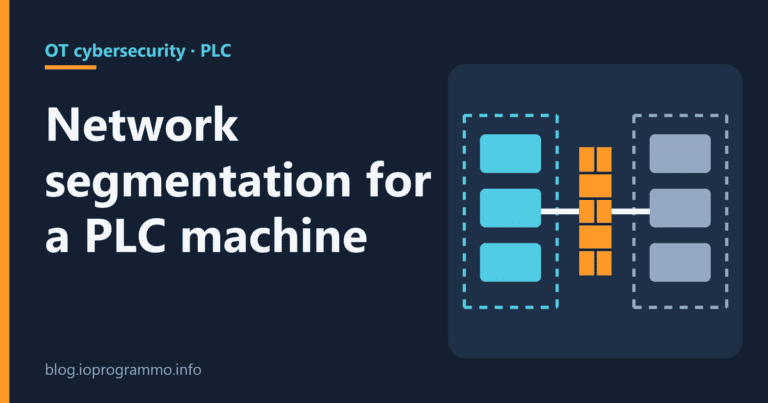
Line P1 is a fictional plant, the same one used across this series: a palletising line with one S7-1500 PLC (192.168.10.10), one HMI Comfort panel (192.168.10.20), two ET 200SP remote I/O stations (192.168.10.31 and 192.168.10.32), two switches, a service laptop (192.168.10.100) and a remote access gateway (192.168.10.2). The plant network, just as fictional, is 10.20.0.0/16. We reuse the three zones from the article on network segmentation and firewalls for a PLC machine, which also covers the cell firewall and its rules.
The SL-T values below are example values. In real life the asset owner sets them through its own risk assessment and signs them at step ZCR 7; the integrator proposes and argues.
Zones
| Zone | Contents | Example SL-T | Why (example rationale) |
|---|---|---|---|
| Machine zone | PLC 192.168.10.10, HMI 192.168.10.20, ET 200SP 192.168.10.31 and .32, both switches | SL 2 | The expected attacker uses simple means: a USB stick, a laptop plugged into a switch |
| Service zone | Laptop 192.168.10.100, gateway 192.168.10.2 | SL 2 | Temporarily connected devices and devices facing external networks: 3-2 wants them kept apart |
| Plant zone | Network 10.20.0.0/16 | Not the machine’s | This network belongs to the asset owner, who sets its SL-T inside their own program (2-1) |
Conduits
| Conduit | From → to | Traffic | Example SL-T |
|---|---|---|---|
| C1 | Service zone → Machine zone | Programming and diagnostics to 192.168.10.10 on port 102/TCP, secure PG/HMI communication only | SL 2 |
| C2 | Plant zone → Machine zone | Production data read from the PLC’s OPC UA server, 4840/TCP, with user authentication | SL 2 |
| C3 | Service zone → remote access broker in the customer’s DMZ (172.16.50.10), through the Plant zone | Remote support tunnel opened by gateway 192.168.10.2, outbound only | SL 3 |
C3 gets the highest level because it is the only conduit that leads outside, through the broker. That, too, is a choice made for the example, not a rule from the standard. The outbound-only direction does come from a source, the NCSC-UK and CISA Secure connectivity principles for OT: «All connections with the OT environment should be initiated as outbound connections from within the OT environment.»
What this means for the person writing the program
- On PLC 192.168.10.10: «Only allow secure PG/PC and HMI communication» on, PUT/GET off, web server off. Port 102 stays open regardless, because the Siemens manual says ISO-on-TCP «cannot be deactivated». From the plant network it is closed by the cell firewall (rule 3 in the segmentation article) and by the gateway, which must accept no inbound connections from the plant: check its manual that it can. Conduit C1 has no IP filter: laptop and gateway sit on the same 192.168.10.0/24, and the boundary is one of time and responsibility (laptop plugged in only during the job, gateway enabled only on request). So no device enforces C1’s example SL 2: that is a limit of the example.
- Users and roles in UMAC: one user per person, «Full access» only for whoever downloads the program, «HMI access» for the panel. With TIA V19 the panel authenticates to the CPU by password only, not per user; whether V20 or V21 changed this, we have not checked.
- OPC UA server enabled only for C2, with user authentication. From FW V4.1 the «No security» policy is disabled by default.
- CPU Syslog sent to a collector in whatever zone the asset owner specifies.
- One confidential-configuration-data password per CPU, stored with the backup. Siemens warns that if CPUs share a password and one is compromised, all of them are exposed.
- A table of active services, with port and reason, handed over with the machine documentation.
Each setting is covered step by step in the article on S7-1500 passwords and access levels; conduit C3 in the one on secure remote access to a PLC over VPN; backup in the guide to PLC and HMI backup after ransomware.
IEC 62443 and NIS2
The legal texts never mention 62443: zero hits in Directive (EU) 2022/2555, in Italy’s Legislative Decree 138/2024 and in the ACN determinations on baseline measures, searched in the text. The Italian decree asks for measures that take account of the state of the art and, where applicable, of relevant national, European and international standards (our translation of the Italian text), without naming any. Using 62443 to demonstrate those measures on plant systems is a defensible technical choice, but that is our reading: no official text requires it. The rest is in the article on NIS2 and industrial automation.
What not to do
- Don’t write «IEC 62443 compliant» in a quote. Name the part, the role and the SL, or leave it out.
- Don’t set the SL-T values yourself. The asset owner sets the method and gives the approval.
- Don’t promise an SL-A at FAT: by definition it is measured in operation.
- Don’t copy SR or CR numbers from sites that don’t cite the standard. If you need them, buy the part.
- Don’t leave legacy PG/HMI communication on «just in case». If an old panel needs it, record it in the CRS as a justified exception.
- Don’t infer a component’s SL-C from a catalogue. Ask the supplier what they declare, in writing.
What this article does not cover
It does not cover clause content, because we have not read the standards, nor Part 2-3 on patch management, nor certification schemes. TIA settings depend on software version and CPU firmware: the thresholds that matter are V17 with FW V2.9 (secure communication), V19 with FW 3.1 (UMAC) and V21 with FW V4.1. For the overall picture, start from the practical guide to PLC cybersecurity.
Sources
- ISA Global Cybersecurity Alliance, Quick Start Guide: An Overview of ISA/IEC 62443 Standards
- IEC webstore, publication pages for 62443-2-1, 62443-2-4, 62443-3-2, 62443-3-3, 62443-4-1, 62443-4-2
- Siemens, S7-1500 Communication Function Manual, 11/2025
- Siemens, User Management & Access Control with TIA Portal V19, 07/2024
- Siemens, CPU 1518-3 PN Equipment Manual, 11/2024
- NCSC-UK, CISA and partners, Secure connectivity principles for OT
Last checked: 29 September 2026

“Semplifica, automatizza, sorridi: il mantra del programmatore zen.”
Dott. Strongoli Alessandro
Programmatore
CEO IO PROGRAMMO srl